
Selling a physical product means somebody has to get it to the buyer. That is the one part of running an online shop you cannot do from your phone in the evening, and it is where most small sellers either lose money or lose their patience.
Guess the delivery price and you either scare a buyer off with a number too high, or eat the difference on a number too low. Quote it by hand and every sale needs a phone call before it can happen at all.
Your shop can now do neither. Connect your own Bob Go account, and your buyer sees a real courier price for their own address the moment they check out, picks the option they want, and the parcel books itself the second they pay.
What actually happens
A buyer adds something to their basket and gets to your checkout. They type their delivery address. A button appears: See delivery options. They tap it, and a list comes back from Bob Go itself: real couriers, real prices, for that exact address. Not your average guess. Not a number you set months ago that no longer matches what fuel costs.
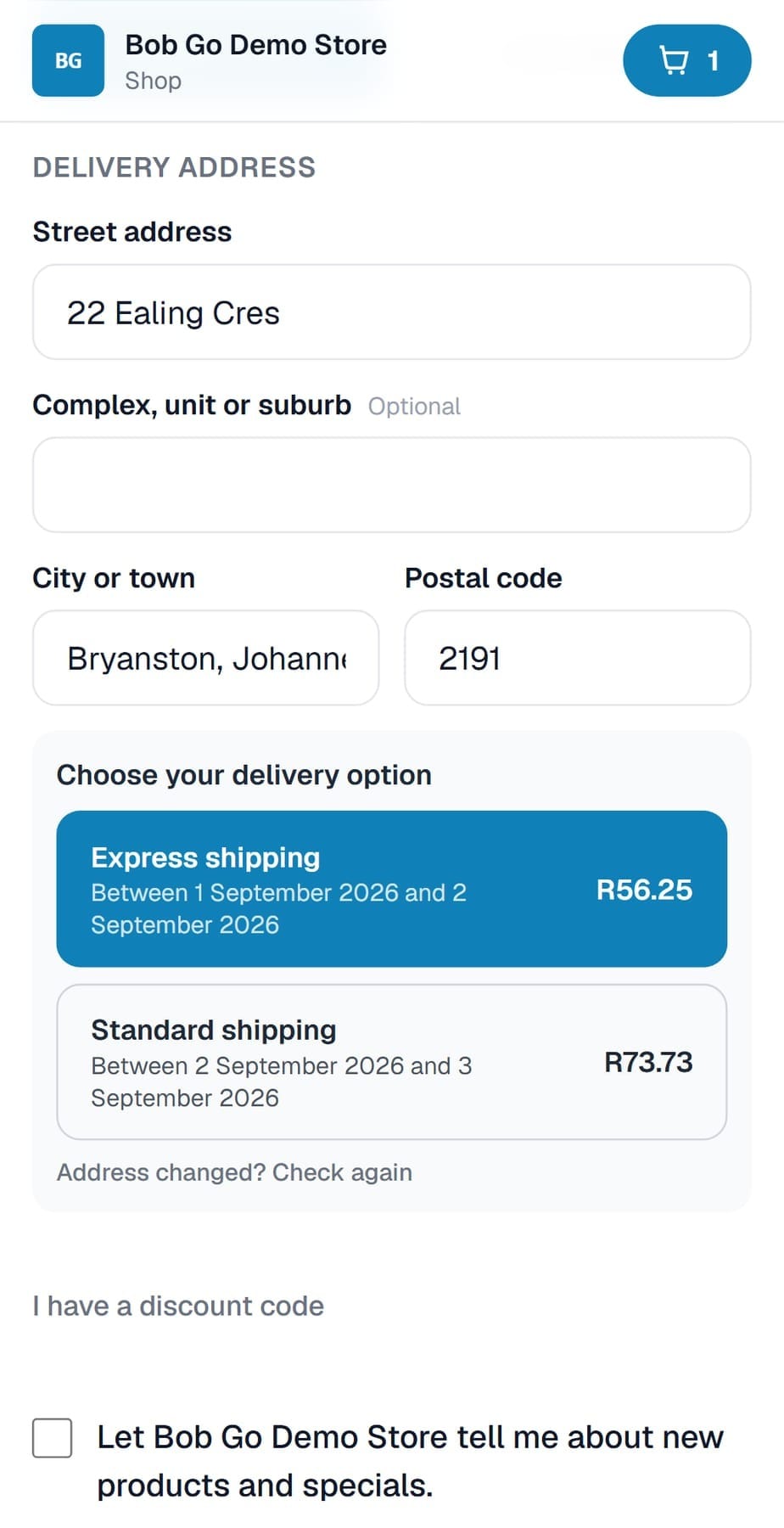
They choose one, pay, and that is the last thing either of you has to do about delivery. The order goes into your dashboard already knowing which courier and which price. The moment the payment clears, the shipment books itself on your own Bob Go account. The waybill is in your name. The courier bills you, at your own rate, exactly as if you had booked it yourself in Bob Go, because that is exactly what happened, automatically, on your behalf.
What we never do
We are a proud partner of Bob Go, not a layer between you and them. Your shop never holds a shipment, never marks up a rate, and never takes a cent of your delivery charge. The account is yours, the rates are yours, and if a parcel goes missing, that conversation is between you and Bob Go, the same as it would be if you had never used us at all.
Setting it up
Two situations, and both end in the same place: your shop's Booking and Shop tab.
If you don't have a Bob Go account yet
Open one free. Use our partner link so we know you came from us: bobgo.co.za. If you already have an account you opened yourself, that is completely fine too, you are never blocked for not using our link, just tell us and we will have it credited to you.
Connect it
In your dashboard, open the Booking and Shop tab.
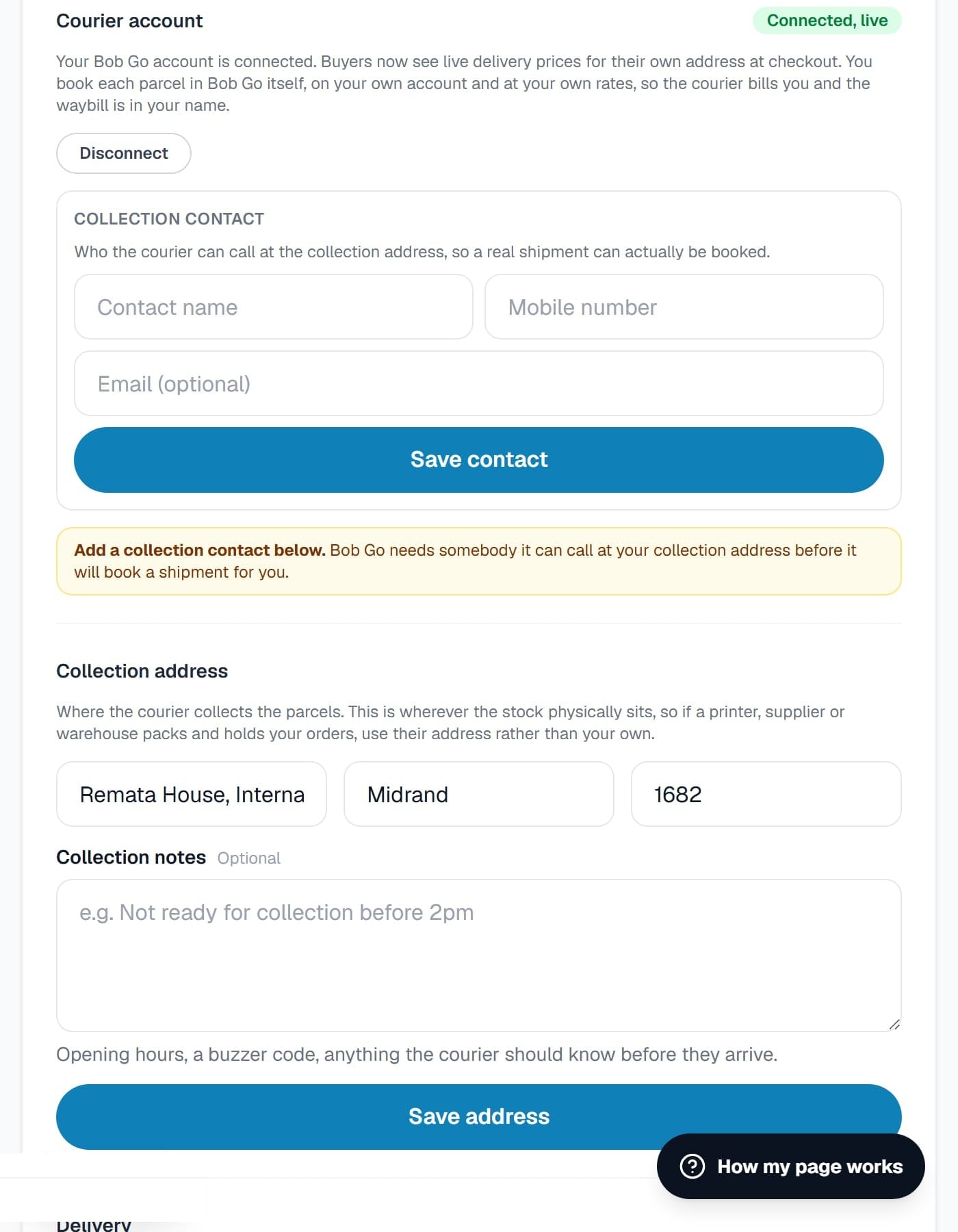
Under Courier account, paste your Bob Go API token. We test it against Bob Go before saving anything, so a mistyped token is caught immediately, not at somebody's checkout three weeks later.
Add a collection contact, a name and a mobile number, so the courier has somebody to call.
Tell it where your parcels actually are
Under Collection address, enter wherever your stock physically sits. If a supplier, printer or warehouse packs and holds your orders, use their address, not your own.
If there is anything the courier should know before they arrive, opening hours, a buzzer code, add it under Collection notes.
Switch it on
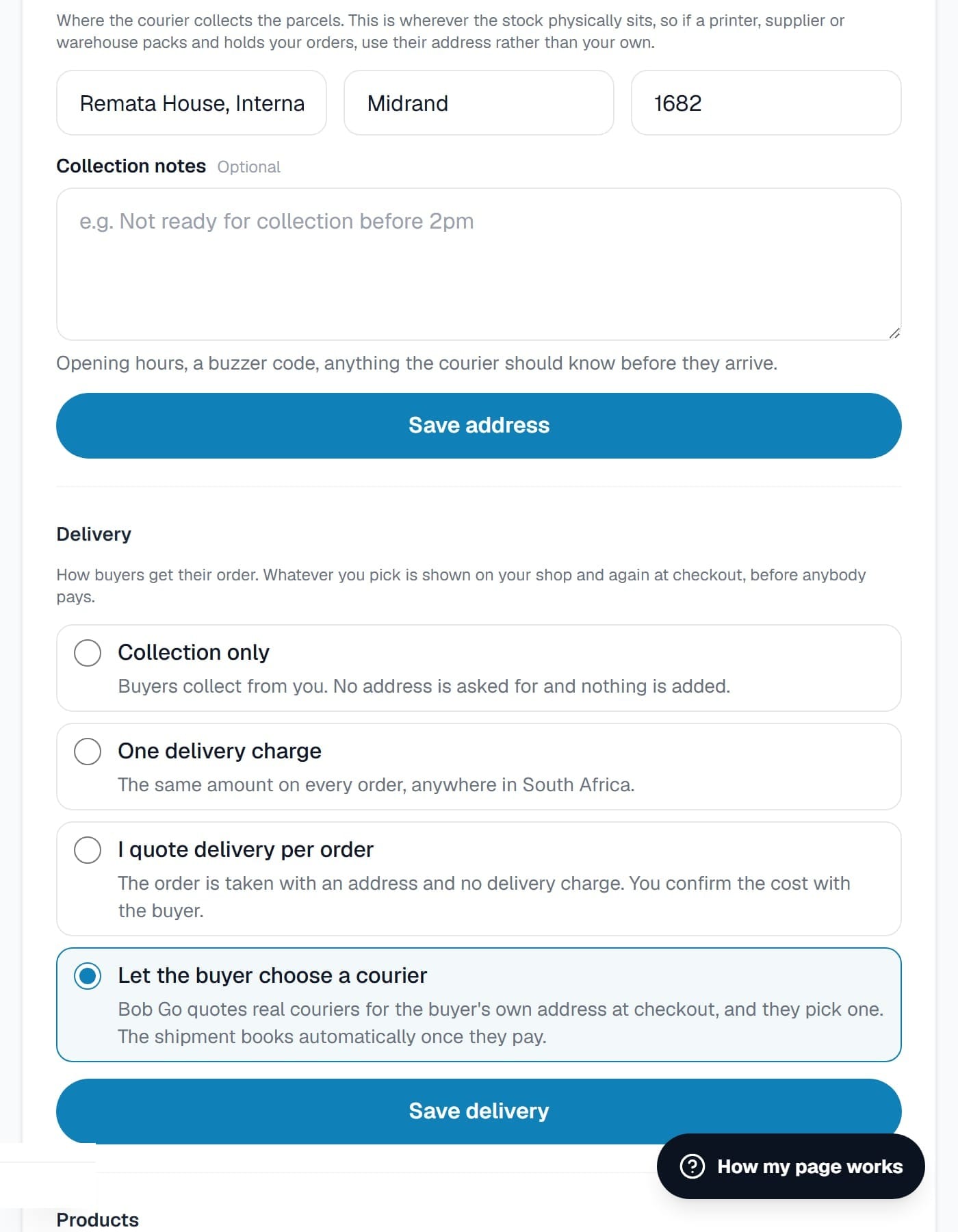
Under Delivery, choose Let the buyer choose a courier.
Save. That's it.
Where to find it
Your dashboard, Booking and Shop tab. Everything above lives on that one screen.
Questions before you connect anything? Reach us the same way you always do.